Restore old, faded, and damaged photos to HD clarity with AI. Recover lost detail from scanned prints, Polaroids, and early digital camera shots. Upload your photo and let the AI bring it back to life.
Drag & drop your image here
or click to browse • PNG, JPEG, WEBP up to 10.0 MB
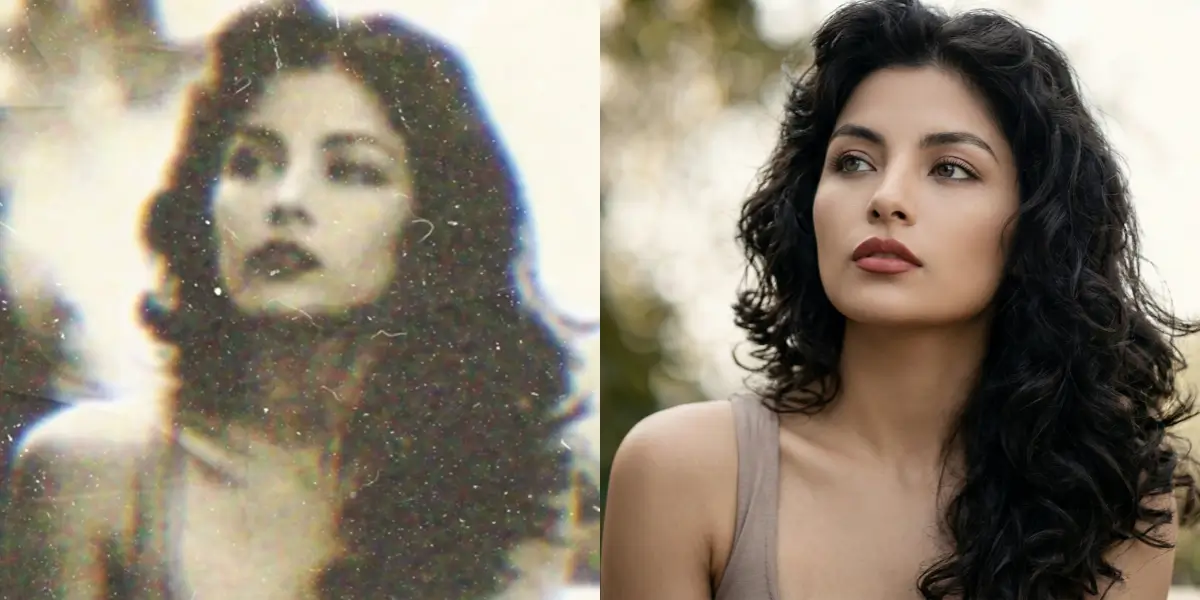
Old family photos lose detail over decades of storage — colors fade, edges soften, and fine textures disappear. This AI photo restoration tool reverses that degradation, recovering sharpness, color accuracy, and detail that you thought was gone forever. Upload a scan of your old print and get back a dramatically clearer version.
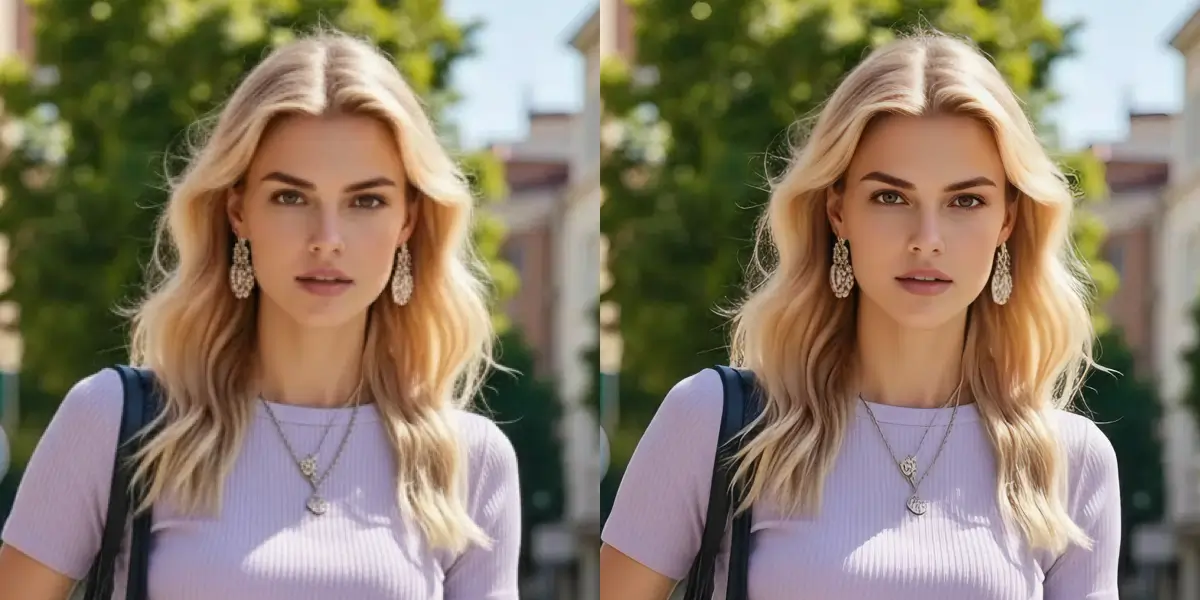
Scanning introduces its own artifacts — moiré patterns, dust spots, and resolution limits of the scanner itself. The AI identifies and removes these scanning artifacts while simultaneously enhancing the underlying image detail. Polaroids, 35mm prints, and photo booth strips all benefit from this restoration process.
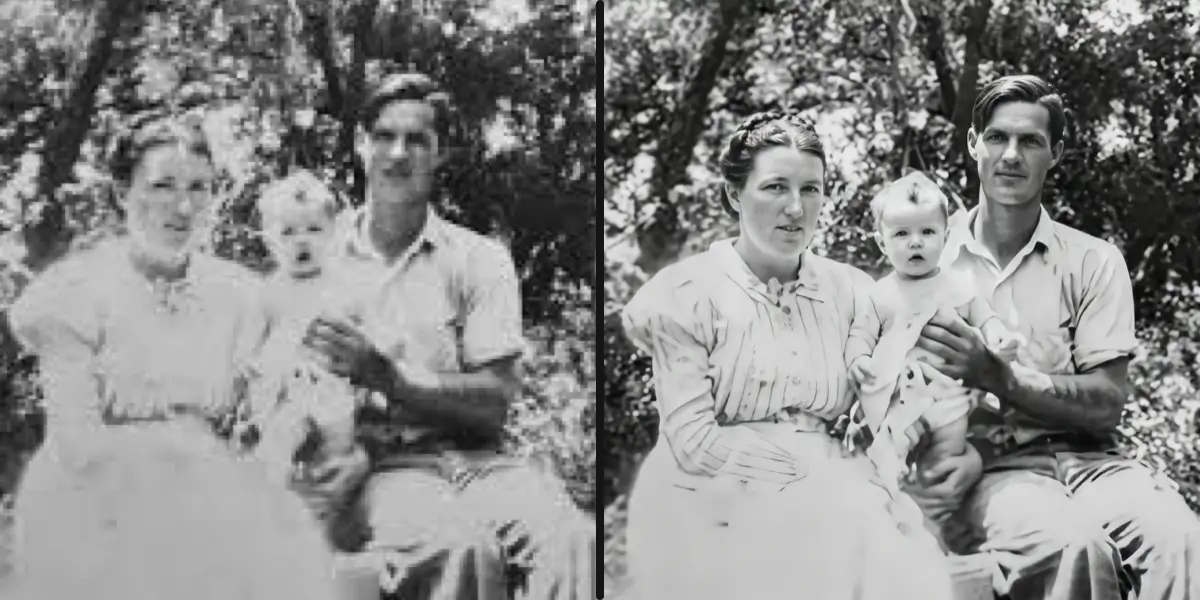
Digital cameras from the early 2000s produced images at 1-3 megapixels with heavy JPEG compression and limited dynamic range. This restoration tool upscales these low-resolution photos while reconstructing the detail that the original camera sensor couldn't capture. The result is a modern-looking photo from a decades-old original.
Restore old, faded, and damaged photos to HD clarity with AI. Recover lost detail from scanned prints, Polaroids, and early digital camera shots. Upload your photo and let the AI bring it back to life. This page is for people who need a practical result from a image without installing desktop software. Use the upload controls above to test a representative sample, then check the output against the original before processing a longer or more valuable file. AI can improve visible detail, but it cannot recreate information that was never captured.
The restoration AI doesn't just sharpen — it generates new detail based on patterns learned from millions of photo pairs. Faded textures, softened edges, and lost fine detail are all reconstructed to produce a naturally sharp result without artificial-looking over-sharpening.
Decades of storage cause color shifts — yellowing, fading, and loss of contrast. The AI corrects white balance, restores natural skin tones, and brings back vivid colors without over-saturating. The goal is to make the photo look as it did when it was first taken.
Scanned prints, Polaroids, photo booth strips, early digital camera JPEGs, and even photos of photos taken with your phone. Upload PNG, JPG, or WebP up to 10 MB. The AI handles different types of degradation automatically — no manual settings to adjust.
Restored photos have no watermark. Your uploads are processed securely and stored for 3 days for download. Every upload is screened by automated content moderation to keep the platform safe.
Drop a PNG, JPG, or WebP file into the restoration tool — up to 10 MB. Sign in to start (3 credits per photo). Works with scanned prints, Polaroids, and old digital photos.
The AI analyzes the image, recovers lost detail, corrects faded colors, and enhances clarity. Most photos are restored in 60-90 seconds.
Compare the original and restored versions side by side. Download your HD restored photo — no watermark. Files stay available for 3 days.
Wedding photos from the 1970s, childhood portraits, grandparents' pictures — photos that exist only as fading prints. Scan them and upload here. The AI recovers detail and color that decades of storage have taken away, giving these irreplaceable memories new life.
Early digital cameras and flip phones captured photos at 640x480 or lower. These low-res originals look terrible on modern screens. The restoration AI upscales and enhances them, reconstructing detail the original sensor couldn't capture.
Flatbed scanners introduce moiré patterns, dust spots, and their own resolution limits. The AI cleans up these scanning artifacts while enhancing the underlying image. Great for digitizing photo albums and archiving printed photos.
Old photos look out of place in modern social feeds. Restore them to HD quality before sharing on Instagram, Facebook, or family group chats. The improved clarity makes decades-old photos feel current and shareable.
Continue from Old Photo Restoration with a workflow matched to your source file and delivery goal.
Each photo restoration costs 3 credits ($0.03). You get free credits on sign-up. No subscription required — just pay for what you use.
Any digitized old photo: scanned prints, Polaroids, photo booth strips, early digital camera photos, and even photos of photos taken with your phone. Upload PNG, JPG, or WebP up to 10 MB.
No. This tool focuses on restoring detail, sharpness, and correcting color degradation in photos that were originally in color. It does not add color to black-and-white images. For colorization, you'd need a dedicated colorization tool.
The AI primarily focuses on recovering lost detail and correcting color/tone degradation. It may reduce the visibility of minor scratches, but it's not designed to inpaint large tears, creases, or water damage. For physical damage repair, a photo editing tool with inpainting capabilities would be more appropriate.
The free Image Upscaler focuses on resolution upscaling (making images larger and sharper). Old Photo Restoration is specifically optimized for recovering detail from degraded, faded, and aged photos. It applies color correction, tone restoration, and artifact removal in addition to upscaling. The Image Upscaler is free; Photo Restoration costs 3 credits per photo for the more intensive processing.
Most photos are restored in 60-90 seconds. Larger or more degraded images may take slightly longer. You can watch the progress in real time on the page.