Free AI image upscaler online. Upscale any image to 4K with one click. No signup, no login, no watermark.

Drag & drop your image here
or click to browse • PNG, JPEG, WEBP up to 10.0 MB
This free AI image upscaler reverses motion blur, out-of-focus shots, and compression blur using Real-ESRGAN trained on thousands of blur-to-sharp pairs. No signup or login needed — just upload and get a sharper image with crisp edges and fine textures reconstructed, without introducing haloing or ringing artifacts.
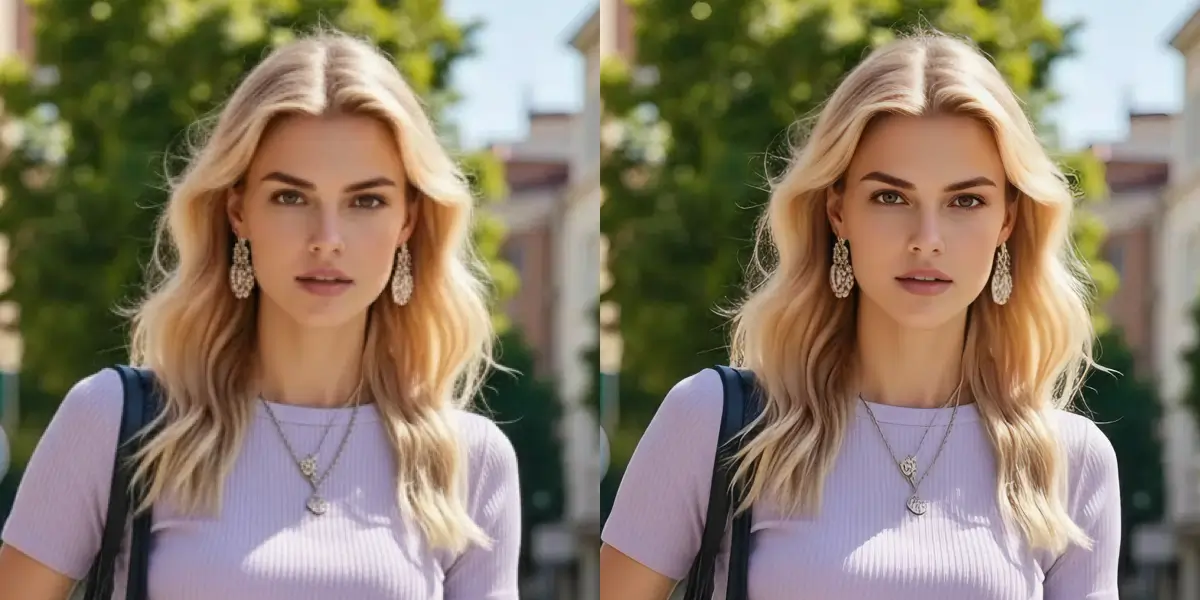
Our free AI image upscaler turns small thumbnails, low-res screenshots, and compressed downloads into crisp 4K images with 2–4× upscaling. Unlike Photoshop’s bicubic resize that averages between pixels, this image upscaler generates new detail — textures, hair, fabric, and architectural features all look natural at the higher resolution. No signup required.
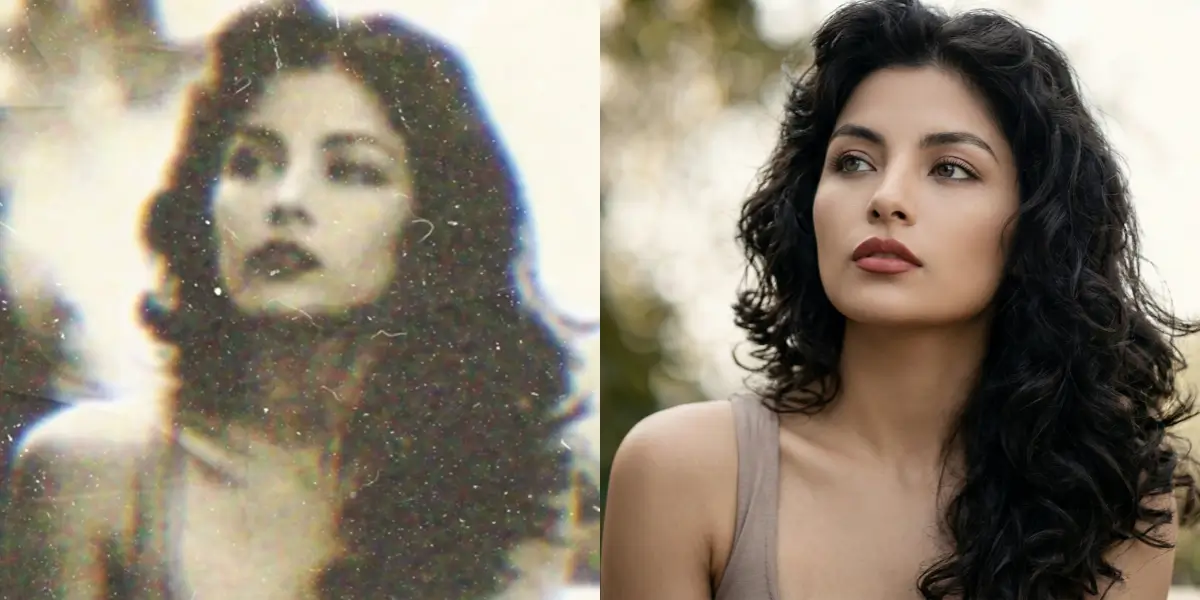
This free image upscaler recovers detail lost to time, compression, and scanning artifacts from faded family prints, old Polaroids, and early digital camera shots. Upload your scan — no signup, no login needed — and get a dramatically clearer version with improved sharpness and tonal range.
Restore Photo FreeFree AI image upscaler online. Upscale any image to 4K with one click. No signup, no login, no watermark. This page is for people who need a practical result from a image without installing desktop software. Use the upload controls above to test a representative sample, then check the output against the original before processing a longer or more valuable file. AI can improve visible detail, but it cannot recreate information that was never captured.
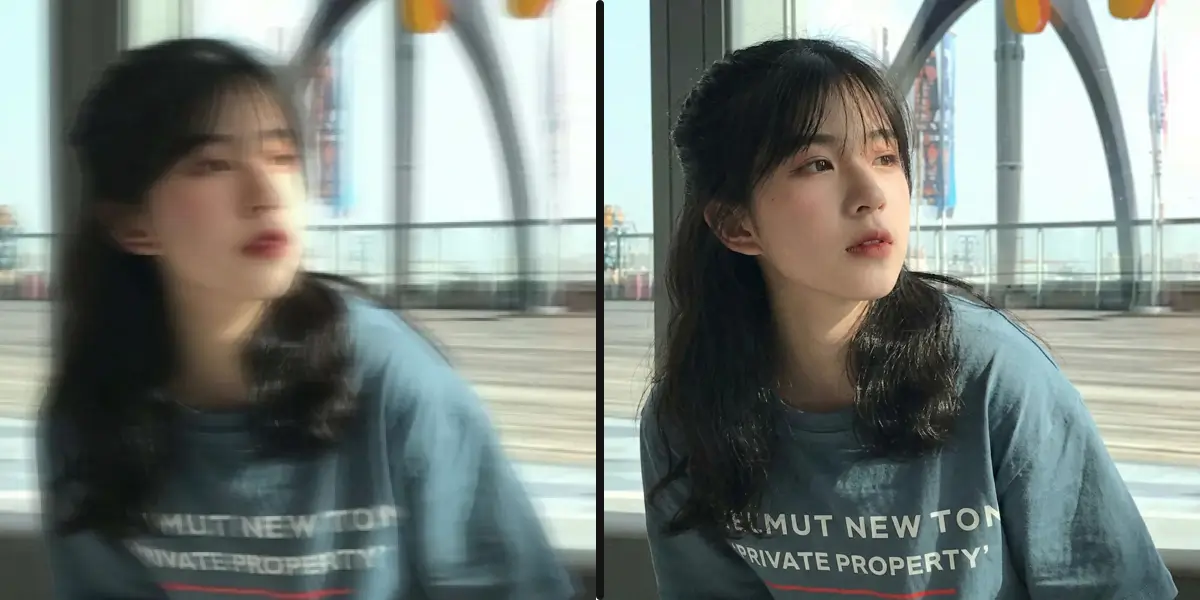
Blurry screenshot? Out-of-focus photo? Motion blur from a shaky hand? This image enhancer can unblur images by reconstructing the sharp edges and fine textures the camera missed. Real-ESRGAN was trained on thousands of blur-to-sharp pairs, so it knows how to reverse common types of image degradation without introducing artifacts.
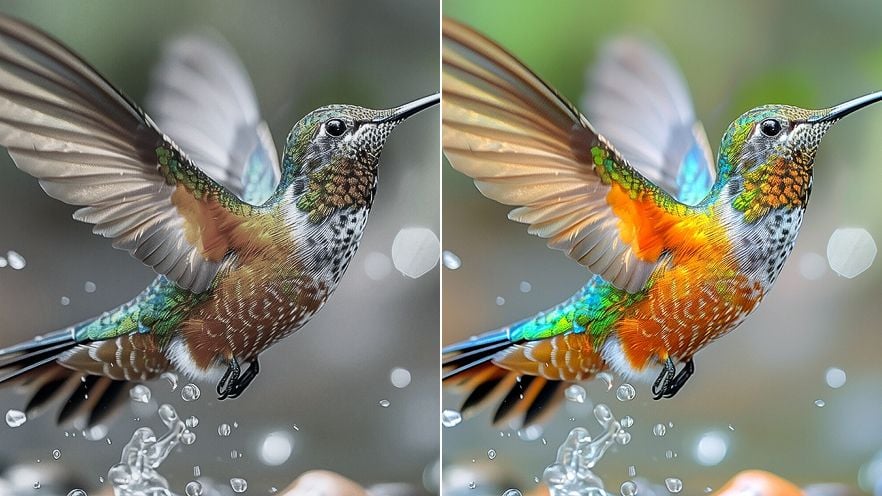
Turn a small thumbnail or low-res download into a crisp 4K image. The AI image upscaler generates new pixel-level detail based on learned patterns — it doesn’t just interpolate between existing pixels like Photoshop’s bicubic resize. This means textures, hair, fabric, and architectural details all come out looking natural at the higher resolution.
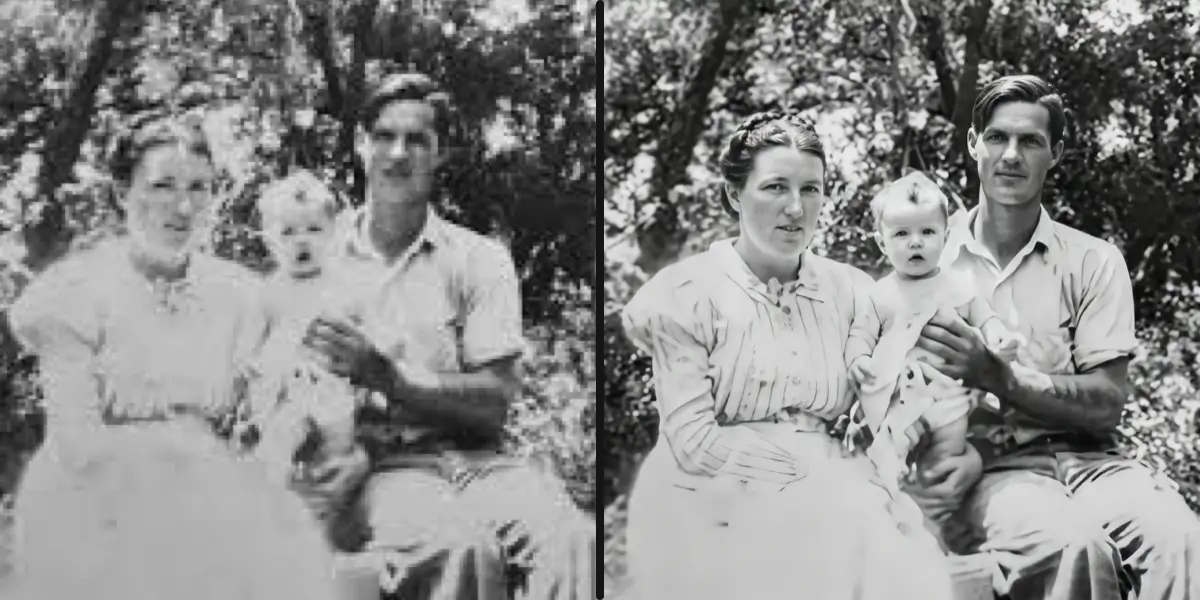
Scanned family photos from the 70s, faded Polaroids, low-resolution digital camera shots from the early 2000s — this tool can restore old photos to modern HD clarity. The AI recovers detail that’s been lost to time, compression, or scanning artifacts. Note: it won’t colorize black-and-white photos or repair physical damage like tears and scratches.
Drop a PNG, JPG, or WebP file into the image upscaler — up to 10 MB. No signup, no login, no account required. It’s completely free.
Real-ESRGAN analyzes your image and upscales it to 4K (2160px on the longest edge) while reconstructing lost detail. Most images finish in 30–60 seconds.
Toggle between the original and enhanced version to see the difference. Download your 4K image — no watermark, no strings attached. Files stay available for 3 days.
That faded wedding photo from the 80s, your grandparents’ portrait, your childhood school picture — old photo restoration with AI can bring these back to life. Upload the scan and the image enhancer recovers detail you thought was gone forever. It won’t fix tears or colorize B&W, but it dramatically improves clarity and sharpness.
Took a photo in low light and it came out blurry? Grabbed a screenshot from a video call? The AI can unblur images like these by predicting what the sharp version should look like. It’s not magic — extremely destroyed images won’t recover — but for typical blur from motion, focus, or compression, the results are impressive.
Your product images need to look sharp on Amazon, Shopify, Etsy — every platform. If you only have low-res originals, the image upscaler can bring them to 4K without the softness that basic resize tools leave behind. Sharper product photos mean higher click-through rates and better buyer confidence.
Instagram, YouTube thumbnails, LinkedIn banners — they all look better at higher resolution. Enhance image quality before posting and your content stands out in feeds dominated by compressed, blurry uploads. The image enhancer outputs in WebP format, which is ideal for web use.
Continue from AI Image Upscaler with a workflow matched to your source file and delivery goal.
Yes, 100 % free. No signup, no login, no credit card, no hidden charges, no watermark. You can upscale up to 5 images per hour. We keep it free because image upscaling uses less GPU time than video processing, which is where the paid credits model applies.
Just upload your blurry image to this page. The AI (Real-ESRGAN) automatically detects and reverses common blur types — motion blur, out-of-focus blur, and compression blur. It takes about 30–60 seconds and you don’t need to configure anything. The result is a sharper, 4K version of your original.
Yes. Old photo restoration is one of the best use cases. Scanned prints, faded Polaroids, and early digital camera shots all improve dramatically. The AI recovers detail lost to time and compression. It won’t colorize black-and-white images or fix physical damage like creases and tears, but clarity and sharpness improve significantly.
All images are upscaled to 4K — 2160px on the longest edge, maintaining the original aspect ratio. For most photos this is a 2–4× resolution increase with real detail recovery, not just pixel stretching.
PNG, JPG/JPEG, and WebP, up to 10 MB per file. That covers virtually every image you’d encounter on the web or from a camera. The enhanced output is delivered in WebP format for the best quality-to-size ratio.
Potentially. Real-ESRGAN is trained on natural imagery — photos, textures, faces — not text. Screenshots with lots of small text may come out with slightly distorted characters. For images that are primarily text (like documents), a dedicated OCR tool would be more appropriate.
Yes. Every upload is automatically screened. Pornographic and illegal content is rejected. This keeps the service free and safe for everyone.
Most images are done in 30–60 seconds. Very large or complex images may take slightly longer. You can watch the progress in real time on the page.
You can enhance 5 images per hour per IP address. This is enough for personal and small business use. If you need higher throughput, the Video Upscaler tool (which also handles images) offers credit-based processing without rate limits.
Photoshop uses bicubic interpolation by default — it averages between pixels, which produces soft, blurry results at larger sizes. This image enhancer uses Real-ESRGAN, a neural network that generates new detail based on learned patterns. The difference is visible: sharper textures, cleaner edges, and more natural-looking output at 4K resolution. And unlike Photoshop, it’s free and runs in your browser.